
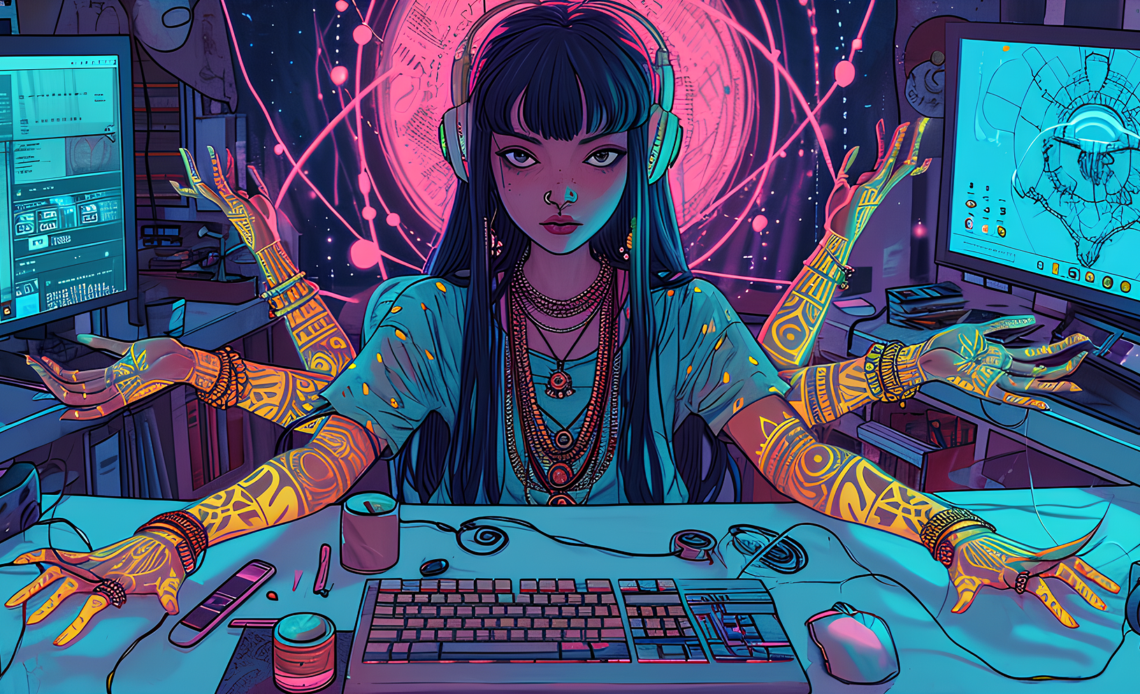
Design used to be a specialized skill—a craft that required training, software expertise, and hours of practice. Today, AI is changing that. With intuitive, intelligent design tools, anyone can create polished visuals, compelling graphics, smart layouts, and professional‑looking assets without years of experience.
Whether you’re a small business owner, student, marketer, teacher, or content creator, the right AI design tools can save time, reduce frustration, and make your work look great.
This guide highlights the best AI‑powered design apps for non‑designers—what they do, why they matter, and how you can use them to bring ideas to life.
🎨 1. All‑In‑One AI Design Platforms
These tools give you broad design capabilities—from social graphics to presentations and brand materials—without needing deep design skills.
Canva
What it does: A versatile design app that uses AI to suggest layouts, styles, and content.
Why it matters: Canva’s AI features help you design social posts, posters, presentations, flyers, and more in minutes.
Why non‑designers love it:
- Drag‑and‑drop simplicity
- Thousands of templates for every use case
- AI tools that help generate visuals and suggest complementary fonts and colors
Example:
You need a promotional graphic for an Instagram announcement. Tell the AI your theme (e.g., “summer sale”), choose a style, and Canva generates finished designs ready to post.
🖼️ 2. AI Image Generation & Enhancement
These apps help you create visuals from text prompts or enhance real photos—no drawing skills required.
Midjourney
What it does: AI image generator that transforms text prompts into art and visuals.
Why it matters: Midjourney excels at artistic, stylized images that can be used as backgrounds, illustrations, and concept art.
Example:
Prompt: “Vintage concert poster with neon colors and bold typography.”
In seconds, you get multiple unique visuals you can download and use.
Runway
What it does: A creative suite powered by AI—image generation, background removal, photo editing, and video tools.
Why it matters: Combines multiple AI models in one place for visual creation and enhancement.
Example:
Drag in a product photo, use AI to remove the background, then apply stylistic effects—all without manual masking.
Remove.bg
What it does: Automatic background removal with a single click.
Why it matters: Quick and accurate extraction of subjects in photos is a staple need for non‑designers working on collages, product shots, or profile images.
Example:
Upload a headshot and instantly get a clean, transparent version for use in presentations or websites.
🧠 3. AI Tools for Branding & Identity
These apps help you create logos, color palettes, and brand assets—even if you’ve never designed before.
Looka
What it does: AI logo and brand maker that suggests identity elements based on simple input.
Why it matters: You get complete brand kits (logos, colors, type styles) with minimal effort.
Example:
Tell Looka your business name, industry, and preferred style. It generates dozens of logo options instantly.
Brandmark
What it does: Generates AI‑driven logos and visual identity elements.
Why it matters: Offers cohesive brand designs instead of standalone logos.
Example:
The AI suggests color schemes, typography combinations, and graphic assets that work together visually.
📊 4. Presentation & Layout Assistants
Great design isn’t just art—it’s structure and clarity. These tools help turn messy content into polished visual layouts.
Gamma
What it does: AI presentation generator that turns text and ideas into engaging visual slides.
Why it matters: You don’t need PowerPoint or Canva skills—just your concepts.
Example:
Paste your outline (e.g., project summary, data points), and Gamma builds a visual presentation with clean layouts and imagery.
Beautiful.ai
What it does: Intelligent slide design assistant that automates spacing, alignment, and style.
Why it matters: You focus on content; the AI handles visual balance and composition.
Example:
With your bullet points and images, Beautiful.ai scales text, aligns elements, and suggests graphic styles without manual tweaking.
📝 5. Text‑to‑Visual & Typography Design
Some apps turn your copy into visually appealing assets instantly.
Visme
What it does: A versatile design tool with AI‑powered brand kits and template suggestions tailored to your content.
Why it matters: Helps non‑designers create infographics, reports, and social visuals that look professional.
Example:
Enter key statistics and Visme suggests infographic layouts with charts and icons that represent your data visually.
Stencil
What it does: Simple image creator optimized for social media visuals.
Why it matters: Easy templates plus AI‑suggested layouts make creating visuals for posts and ads quick and intuitive.
Example:
You need a banner for a LinkedIn post—enter your text and choose a style, and Stencil does the rest.
📹 6. AI Video & Animation Tools
Static visuals are just one piece of the puzzle—these apps help you create motion graphics and short videos without a production team.
InVideo
What it does: Text‑to‑video maker with AI templates and scene suggestions.
Why it matters: You turn blog posts, bullet lists, and scripts into engaging videos in minutes.
Example:
Paste your blog excerpt and select a style. InVideo suggests scenes, visual transitions, and music for a polished video output.
Lumen5
What it does: AI video creator that converts text content into social video formats.
Why it matters: Great for repurposing articles, newsletters, and announcements as engaging video content.
Example:
Your article becomes a storyboard, complete with visuals and animations synced to your text.
🧩 7. Specialized Creative Helpers
These tools focus on specific aspects of design—illustration, pattern generation, or asset libraries.
Patterned.ai
What it does: AI pattern generator for textiles, wallpapers, backgrounds, and textures.
Why it matters: You get unique repeatable patterns without drawing skills.
Example:
Describe a motif (“geometric floral in pastel tones”) and export seamless designs ready for print or web.
Icons8 (AI Icon Generator)
What it does: Generates icons and UI elements from prompts.
Why it matters: You can create cohesive visual systems that match your branding or project style.
Example:
Prompt “minimal line icons for finance app” and receive a set of consistent icons you can use immediately.
📌 How AI Design Tools Change the Game
AI design apps are transforming design from a specialized skill to a creative tool everyone can use. Here’s how:
✨ Reduces Complex Tasks to Simple Prompts
You describe what you want in natural language, and the AI generates visuals instantly.
⏱️ Speeds Up Production
Design tasks that once took hours now take minutes.
🎯 Improves Consistency
Color palettes, typography, and layout decisions are handled intelligently so your designs feel cohesive.
📈 Lowers the Barrier
You don’t need formal design training—just an idea and the right tool.
📌 Tips for Non‑Designers Using AI Tools
👉 Start with a clear prompt
AI works best when you describe what you want: style, mood, colors, and purpose.
👉 Refine & iterate
Treat the first result as a starting point. Tweak prompts and styles until the design fits your goals.
👉 Combine tools
You might generate images in one app, edit them in another, and assemble layouts in a third.
👉 Think about purpose first
Is the design for social media, print, presentation, or video? Pick tools that specialize in that output.
🎯 Final Thoughts
Design isn’t just for professionals anymore. With AI‑powered tools, anyone can create visuals that communicate clearly, look polished, and support personal or business goals. These apps lower the learning curve and unlock creative possibilities—even for people who’ve never opened a traditional design program.
Whether you’re crafting social media graphics, building brand assets, preparing presentations, or making videos, there’s an AI design tool that can help. The key is to start experimenting—AI doesn’t replace creativity; it enhances it.