


AI is a powerful tool, but its usefulness depends heavily on how you interact with it. The phrase you type—the prompt—guides the AI’s response. A vague prompt often produces generic results, while a clear, well-structured prompt can deliver precise, creative, and actionable output.
Whether you’re using AI for writing, coding, research, design, or productivity, mastering effective prompts can drastically improve the results you get. In this guide, we’ll explore techniques, examples, and strategies for crafting prompts that maximize AI performance.
🔑 1. Be Clear and Specific
AI performs best when it knows exactly what you want. Ambiguous prompts lead to ambiguous responses.
Example:
- Weak Prompt: “Write about AI.”
- Strong Prompt: “Write a 300-word blog post explaining how AI helps small businesses automate customer support, with two real-world examples.”
Tips:
- Include length or format requirements (paragraph, list, table, code).
- Specify style (formal, casual, humorous, persuasive).
- Define the purpose (inform, summarize, compare, analyze).
🧩 2. Use Step-by-Step Instructions
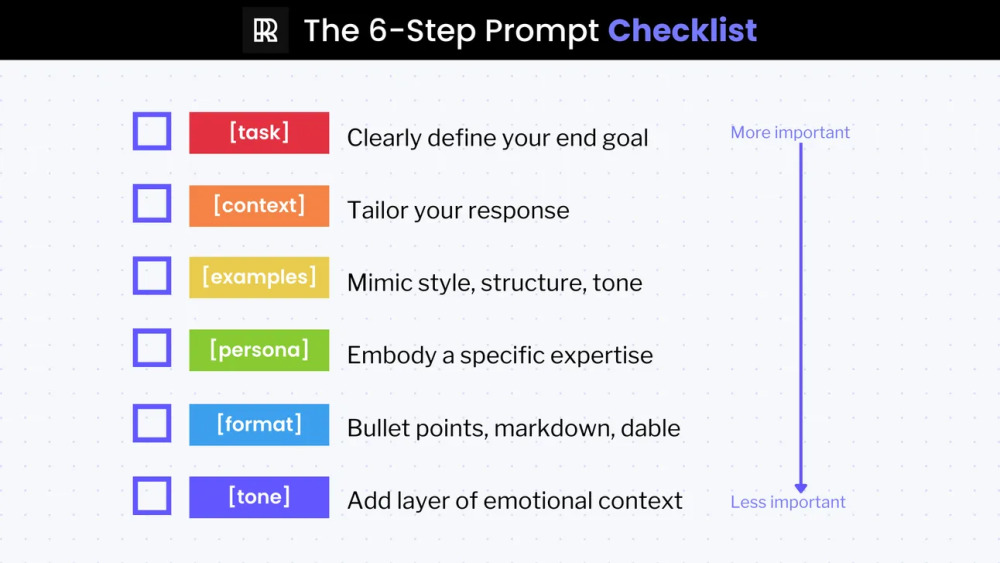
Breaking a complex task into steps helps the AI structure its response better.
Example:
- Prompt: “Explain how to start an online store in 5 steps, including tools needed for each step.”
- Result: The AI generates a clear, numbered guide with actionable details.
Why it works: Step-based prompts give the AI a framework, reducing generic or incomplete responses.
🎨 3. Provide Examples
Examples guide the AI toward your desired output style or tone.
Example:
- Prompt: “Write a product description like this: ‘This backpack is perfect for city commuters, featuring sleek design and durable materials.’ Now write one for a coffee maker.”
- Result: The AI mirrors the tone, structure, and style of your example.
Tip: Examples are particularly useful for marketing copy, social media posts, or creative writing.
📝 4. Ask for Multiple Versions or Alternatives
AI can produce different results for the same prompt. Asking for alternatives gives you options to pick or refine.
Example:
- Prompt: “Generate three different Instagram captions for a post about healthy smoothies, each under 20 words and fun in tone.”
- Result: You receive three unique captions to choose from or iterate on.
Why it works: Encourages creativity and avoids one-size-fits-all answers.
📊 5. Specify the Output Format
AI can generate text in many forms: bullet points, tables, JSON, step-by-step guides, and more.
Example:
- Prompt: “Compare Gmail, Outlook, and Proton Mail in a table with columns for pricing, privacy, and key features.”
- Result: A clean comparison table for quick reference.
Tip: Always mention the format if you need structured or visual output.
🤖 6. Use Role-Based Prompts
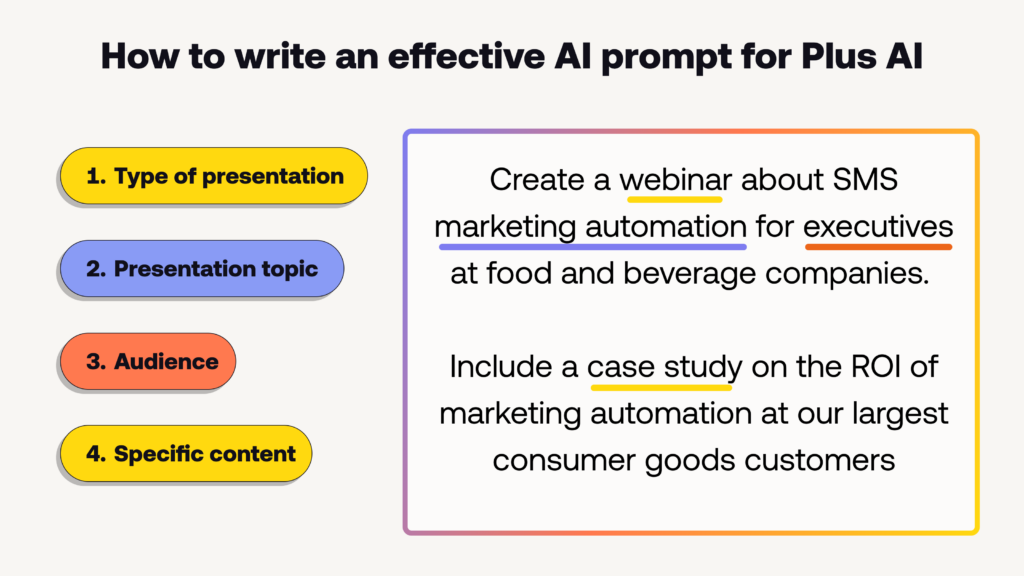
Assigning the AI a “role” helps it adopt expertise or perspective.
Example:
- Prompt: “You are a career coach. Give three tips for a software engineer preparing for a coding interview.”
- Result: Practical, professional advice framed in the voice of an expert.
Why it works: Role-playing prompts guide the AI to respond with authority, empathy, or creativity.
⚡ 7. Layer Context for Better Answers
Providing context helps the AI understand your situation and deliver more relevant results.
Example:
- Prompt: “I’m a college student studying economics. Explain blockchain in simple terms, using real-world examples and analogies.”
- Result: An explanation tailored to your knowledge level, easier to understand and apply.
Tip: Mention audience, knowledge level, industry, or scenario for targeted output.
🔍 8. Ask for Analysis, Not Just Facts
Instead of just asking “what,” ask “why” or “how” for deeper insights.
Example:
- Prompt: “Analyze why remote work increases productivity for tech teams, and list three supporting studies.”
- Result: A thoughtful, structured analysis rather than a simple definition.
Tip: Analytical prompts produce richer, actionable insights.
🧠 9. Combine Prompts for Advanced Tasks
You can chain prompts for multi-step workflows. Start with one prompt, then refine or expand with follow-ups.
Example:
- Prompt 1: “Summarize the latest trends in AI-powered marketing tools in 200 words.”
- Prompt 2: “Now convert this summary into a LinkedIn post under 100 words, with a professional tone.”
Result: You get content adapted to multiple formats automatically.
🎯 10. Use Constraints to Guide Creativity
Constraints like word count, style, or perspective help the AI generate outputs suited to your needs.
Example:
- Prompt: “Write a 150-word blog introduction about sustainable fashion, in a casual tone, with a question at the end.”
- Result: A concise, engaging introduction ready to use.
Tip: Constraints encourage focus, readability, and alignment with your objectives.
📚 11. Use Keywords to Focus Output
Including specific keywords ensures the AI emphasizes the topics you want.
Example:
- Prompt: “Explain the benefits of meditation for mental health, using the keywords ‘stress reduction,’ ‘focus,’ and ‘sleep improvement.’”
- Result: A targeted, keyword-focused response suitable for SEO or structured content.
🛠️ 12. Leverage AI for Iterative Improvement
AI can help refine its own output. After generating content, ask it to improve clarity, tone, or structure.
Example:
- Prompt 1: “Write a 200-word article about electric cars.”
- Prompt 2: “Now rewrite it to make it more persuasive, using simple language and an engaging opening.”
Tip: Iterative prompting creates polished content faster than doing it manually.
📌 Quick Prompting Checklist
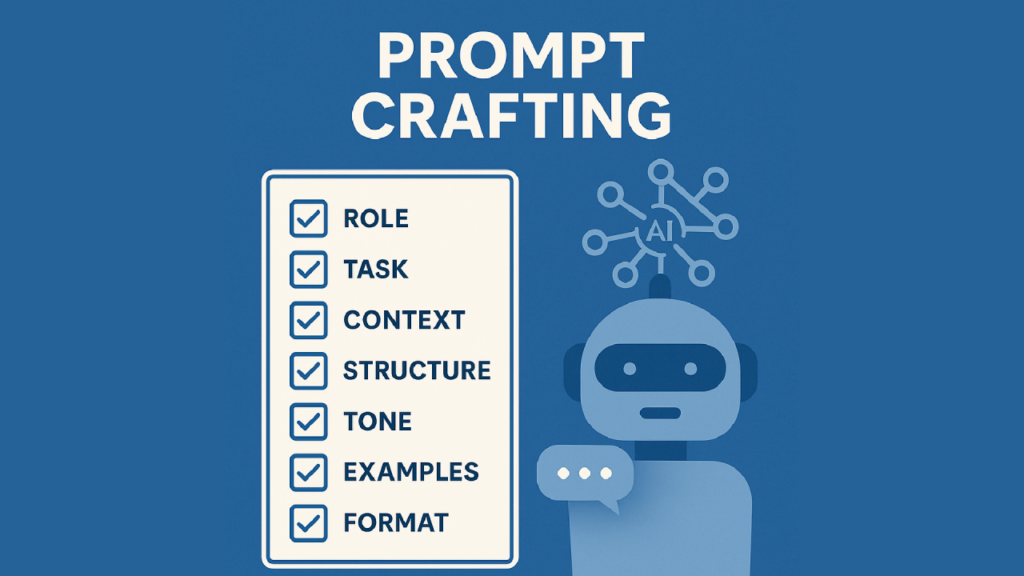
- Be specific: Include format, length, and purpose.
- Provide context: Audience, role, or scenario.
- Give examples: Show the style or tone you want.
- Use constraints: Word count, perspective, or keywords.
- Ask for alternatives: Generate multiple options.
- Refine iteratively: Improve outputs with follow-up prompts.
- Use role-based prompts: Guide tone and expertise.
⚡ Bonus: Prompt Templates for Common Tasks
- Blog Writing:
“Write a 500-word blog post about [topic] in a [tone] style, including [number] examples and a clear conclusion.” - Email Drafting:
“You are a professional copywriter. Draft a polite email responding to [scenario], under 150 words.” - Social Media:
“Generate three engaging tweets about [topic], each under 280 characters, using emojis and hashtags.” - Idea Generation:
“List 10 creative marketing campaign ideas for [product/service], each explained in one sentence.” - Summarization:
“Summarize this text in 100 words, highlighting the key points and actionable insights.”
🏁 Final Thoughts
AI is only as effective as the prompts you give it. Clear, structured, and context-rich prompts yield better results, whether you’re writing content, creating visuals, analyzing data, or automating tasks.
By experimenting with specificity, constraints, examples, and iterative refinement, you can unlock the full potential of AI and save time while producing high-quality outputs.
Prompting is a skill—practice, learn from outputs, and tweak your instructions. In time, you’ll be able to generate precise, creative, and actionable results consistently.