

In today’s fast-paced world, time is one of our most valuable resources. Many of us spend hours every week performing repetitive tasks—checking emails, scheduling meetings, managing files, posting on social media, or tracking expenses. Fortunately, automation tools and AI-powered apps can handle these routine tasks for us, freeing up time for higher-value work, creativity, and rest.
Whether you’re a professional, student, entrepreneur, or busy parent, automating daily tasks can make life more organized, productive, and less stressful.
This guide explores practical ways to automate your daily routines using apps and AI, with clear examples and recommendations.
🔗 1. Automate Communication

Communication is one of the most time-consuming daily activities. AI can help you sort, respond, and schedule communication intelligently.
Email Automation
- Apps: Gmail + AI tools like Spark or Superhuman
- What it does: Automatically filters incoming messages, sorts them into categories, schedules follow-ups, and even drafts responses.
- Example: Use Gmail’s “Priority Inbox” with AI-powered suggestions to automatically label work emails, personal emails, and newsletters. Spark can draft smart replies, saving minutes on each message.
Messaging Automation
- Apps: Slack, Microsoft Teams, or WhatsApp with AI bots
- What it does: AI bots can answer common questions, schedule meetings, or notify team members of updates.
- Example: A Slack bot automatically posts daily reminders for your team, reducing the need to send repetitive messages manually.
🗓️ 2. Automate Scheduling
Scheduling meetings, appointments, or reminders can eat up significant time. AI and smart apps simplify this process.
Calendar Automation
- Apps: Calendly, Google Calendar, Microsoft Outlook
- What it does: AI tools check availability across calendars, suggest meeting times, and automatically schedule meetings.
- Example: Instead of emailing back and forth, you share your Calendly link. The AI syncs participants’ calendars and schedules the meeting at a mutually convenient time.
Task Reminders
- Apps: Todoist, TickTick, or Microsoft To Do
- What it does: Set recurring tasks or deadlines, and AI prioritizes them based on urgency and context.
- Example: Your AI assistant reminds you to submit weekly reports every Friday and adjusts the alert if you’re behind schedule.
💻 3. Automate File Management
From downloading attachments to organizing folders, file management is a prime candidate for automation.
Cloud File Automation
- Apps: Google Drive, Dropbox, OneDrive + Zapier or Make (formerly Integromat)
- What it does: Automatically sorts files into folders, renames files based on rules, and backs up important documents.
- Example: When you receive a PDF invoice via email, Zapier automatically saves it in a “Finance” folder in Google Drive and names it with the date and vendor.
Document Processing
- Apps: Notion, Evernote, or AI OCR tools
- What it does: AI reads documents, extracts key information, and summarizes content.
- Example: Scan meeting notes or receipts, and the AI generates summaries or logs entries into your spreadsheet automatically.
📊 4. Automate Data Tracking and Reporting
Tracking personal or business data manually can be tedious. AI tools simplify this process.
Expense Tracking
- Apps: Mint, YNAB, PocketGuard, or AI expense trackers
- What it does: Automatically categorizes transactions, tracks budgets, and generates visual reports.
- Example: Your AI app sends weekly summaries of spending trends and alerts you if you’re approaching budget limits.
Analytics and Reports
- Apps: Google Analytics + AI dashboards, Power BI, or Tableau
- What it does: AI generates insights, graphs, and recommendations without manual calculations.
- Example: An e-commerce store uses AI dashboards to automatically generate weekly sales reports, highlight trends, and suggest inventory adjustments.
🌐 5. Automate Social Media

Posting, replying, and tracking social media engagement can be highly repetitive. Automation apps save hours every week.
Content Scheduling
- Apps: Buffer, Hootsuite, Later, or Canva with AI features
- What it does: AI schedules posts, suggests optimal posting times, and recommends hashtags.
- Example: You plan a week of Instagram content in one session, and the AI schedules posts for peak engagement times while generating captions and hashtags.
Social Engagement
- Apps: Many AI social media assistants
- What it does: Auto-respond to comments or direct messages, monitor trends, and suggest engagement strategies.
- Example: AI bots on Twitter automatically reply to common inquiries about product availability or shipping status.
🧠 6. Automate Personal Productivity
AI-powered apps can boost focus, learning, and personal routines.
Note Summaries and Research
- Apps: Notion AI, ChatGPT, or Obsidian with AI plugins
- What it does: Summarizes articles, meeting notes, or research into concise points.
- Example: Copy your meeting transcript into Notion AI, and it generates a summary with action items and key decisions.
Routine Optimization
- Apps: Motion, TimeHero, or AI-based habit trackers
- What it does: Automatically schedules tasks around your priorities, optimizes your day, and provides reminders.
- Example: AI analyzes your tasks, meeting schedule, and productivity patterns, then adjusts your to-do list to maximize efficiency.
🤖 7. Integrating Apps for Full Automation
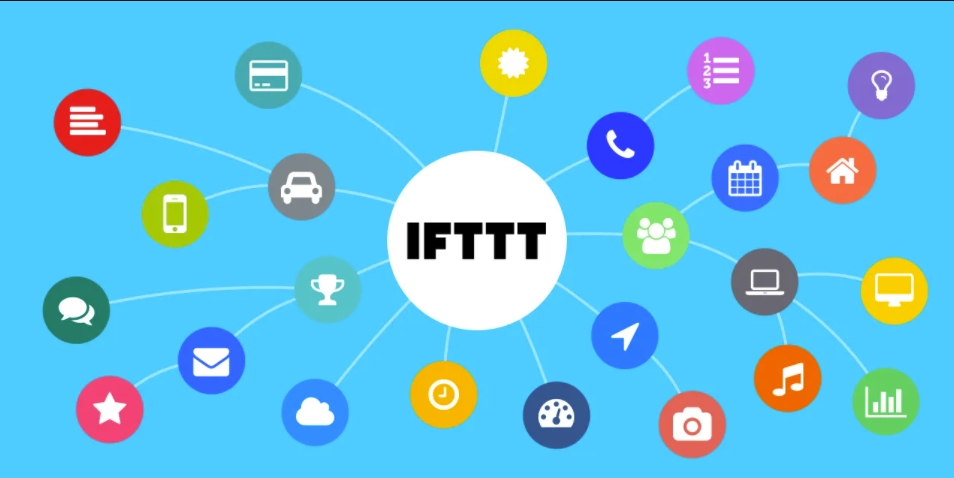
For true automation, apps can be connected to work together. Platforms like Zapier, Make, or IFTTT create workflows between apps.
Example Workflows
- Email → Task: Automatically create a Todoist task from flagged emails.
- Social → Analytics: Post to Instagram, and automatically log engagement metrics in Google Sheets.
- Files → Cloud Backup: Upload any new file to Dropbox and automatically share a link with your team in Slack.
These integrations reduce repetitive manual steps and ensure your tools communicate seamlessly.
⚡ Tips for Effective Automation
- Start small: Automate one task at a time to avoid overwhelming yourself.
- Prioritize high-impact tasks: Focus on repetitive, time-consuming activities.
- Check accuracy: AI isn’t perfect—review automated workflows periodically.
- Combine AI with rules-based automation: AI generates content or suggestions; apps handle organization and scheduling.
- Stay secure: Use apps with strong privacy policies, especially for sensitive information like finances or work emails.
🏁 Final Thoughts
Automating daily tasks with AI and apps isn’t just about saving time—it’s about reclaiming focus, reducing stress, and improving productivity. From emails and meetings to files, budgets, and social media, there’s almost no part of your day that can’t be made smarter with the right tools.
By combining AI-powered apps with automation platforms, even non-technical users can build workflows that think for you, organize for you, and act for you. Whether you want to simplify personal routines, manage professional responsibilities, or just get more done without extra effort, automation is the key.
Start with a few simple automations today, watch your efficiency grow, and gradually expand to more advanced workflows. Soon, repetitive tasks won’t steal your time—they’ll work silently in the background, letting you focus on what truly matters.