

Whether you’re a student juggling classes, assignments, and exams—or a researcher managing complex projects, papers, and data—having the right tools can make all the difference. The right apps help you stay organized, write better, manage references, collaborate with peers, and automate tedious tasks so you can focus on what matters most: learning and discovery.
This post highlights the best apps for students and researchers in 2026, organized by category with clear examples of how each tool can be used in real academic workflows.
📘 1. Note‑Taking & Organization
Taking good notes is foundational for both studying and research. The apps below help you capture ideas, organize information, and retrieve knowledge when you need it most.
Notion
Use Case: Emma, a university student, uses Notion to keep lecture notes, project plans, and deadlines in one place. She creates web‑linked pages for each course and tags topics like “History midterm” and “Essay sources” for quick navigation.
Notion lets you:
- Create organized workspaces with tables, text, and media
- Link pages and embed files for context
- Build databases for research notes and tasks
Evernote
Use Case: Sam, a graduate student, takes notes during seminars and uses Evernote’s web clipper to save important articles and PDFs. Later, he searches all notes instantly by keyword.
Evernote features:
- Tagging and notebooks for organization
- Searchable text within images and PDFs
- Cross‑device syncing
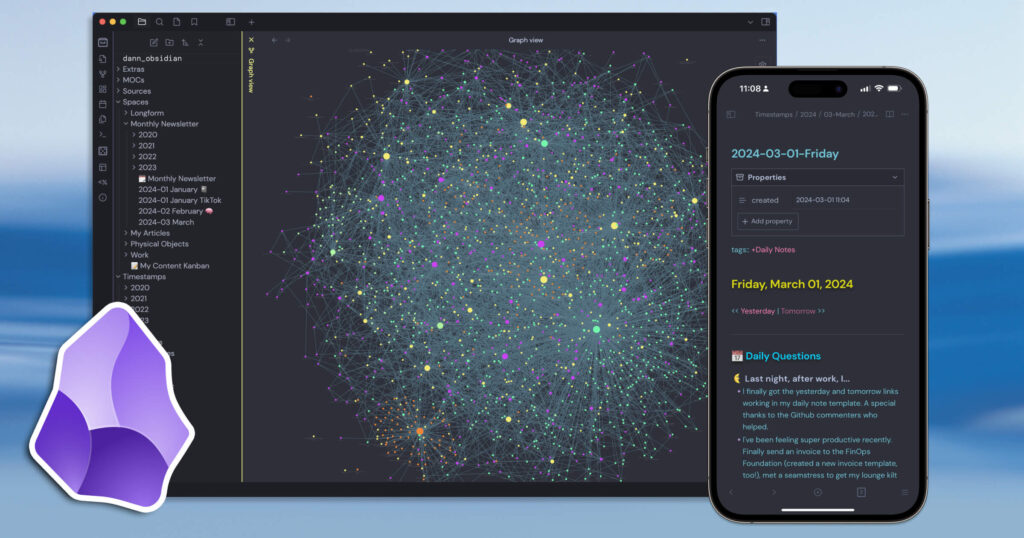
Obsidian
Use Case: Mia, a dissertation researcher, maps out her literature review using Obsidian’s linked notes. She creates a “knowledge graph” of concepts and sources that helps her see connections across topics.
Obsidian is great for:
- Building linked note structures
- Visualizing connections through a graph
- Working offline with local files
🔍 2. Research Tools & Reference Management
For researchers, managing sources and citations can be overwhelming. These tools automate reference organization and bibliography creation.
Zotero
Use Case: Carlos imports his journal articles into Zotero and tags them by topic (e.g., “Machine Learning,” “Ethics”). When writing his thesis, he drags citations directly into his document and Zotero formats the bibliography automatically.
Why Zotero is helpful:
- Saves and organizes citations from web pages, PDFs, and databases
- Auto‑generates bibliographies in multiple citation styles
- Syncs across devices
Mendeley
Use Case: Leah, who’s reviewing dozens of medical studies, uses Mendeley to annotate PDFs while tracking authors and notes. She shares a library with her research group for collaborative review.
Key features:
- PDF annotation
- Shared libraries for group research
- Citation plugin for word processors
Paperpile
Use Case: Mark uses Paperpile with Google Docs for a lightweight reference workflow. It’s simple, cloud‑based, and perfect for students who prefer working in Docs.
Why it stands out:
- Smooth integration with Google Docs
- Fast citation insertion
- Cloud syncing
✍️ 3. Writing & Editing Assistants
Writing papers, essays, and theses can be time‑consuming. These apps help streamline writing, reduce errors, and improve clarity.
Grammarly
Use Case: Anna, a senior, uses Grammarly to polish her essays. It highlights grammar issues, suggests clearer phrasing, and helps maintain a formal academic tone.
What it helps with:
- Grammar and spelling correction
- Style and tone suggestions
- Vocabulary enhancements
Hemingway Editor
Use Case: Ethan uses Hemingway to simplify long sentences in his research proposal. The app color‑codes complex phrasing and suggests ways to strengthen clarity.
Hemingway helps by:
- Highlighting passive voice
- Spotting overly dense sentences
- Suggesting readability improvements
MS Word with AI Features / Google Docs with AI
Use Case: For collaborative papers, a group of students uses built‑in AI writing suggestions to draft and revise sections together, while tracked edits keep everyone on the same page.
Benefits include:
- Real‑time collaboration
- AI‑driven drafting help
- Version history and comments
🧠 4. Study & Learning Tools

More than just flashcards, modern learning apps use spaced repetition and personalized quizzes to make studying efficient and effective.
Anki
Use Case: Kevin uses Anki’s spaced repetition flashcards to master neuroscience terms. The system automatically schedules reviews just when he’s likely to forget.
What makes it powerful:
- Highly customizable flashcards
- Spaced repetition ensures long‑term memory
- Community decks available for many subjects
Quizlet
Use Case: Sarah creates flashcard sets for her language courses and plays interactive games before exams. She studies on the go with her phone.
Features include:
- Flashcards and matching games
- Practice tests
- Study reminders
Khan Academy
Use Case: Noah uses Khan Academy to reinforce math concepts before class. It offers practice exercises and instant feedback.
Useful for:
- Self‑paced learning
- Clear explanations and examples
- Broad subject coverage
📊 5. Data Analysis & Visualization
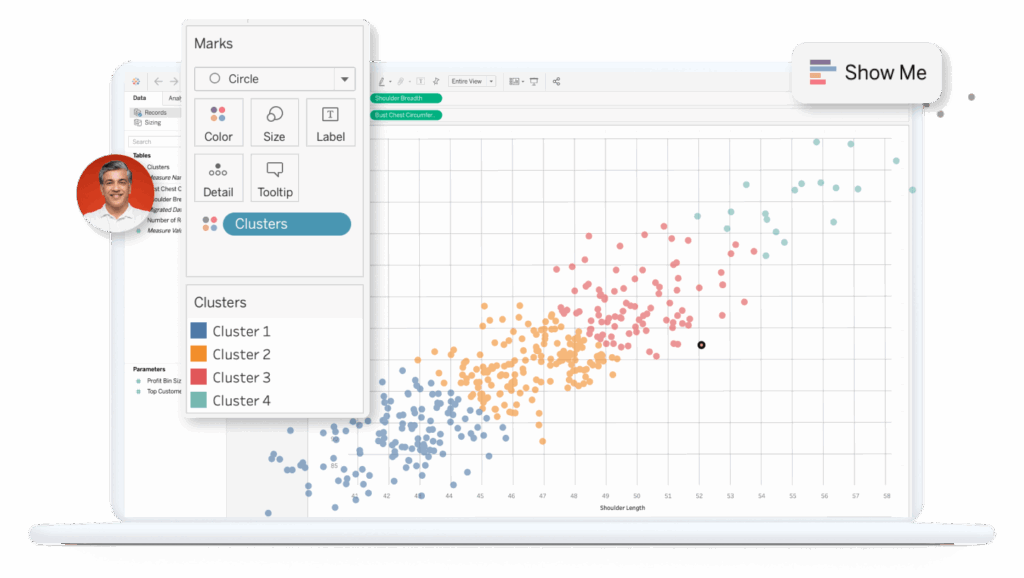
Research often involves crunching data, running statistics, or visualizing results.
Microsoft Excel / Google Sheets
Use Case: Priya uses Google Sheets to organize survey data. She applies filters and charts to visualize trends for her thesis.
Helpful for:
- Pivot tables
- Charts and graphs
- Basic statistical functions
RStudio
Use Case: Omar uses RStudio for advanced statistical analysis in his psychology research. With R packages, he models complex data and creates publication‑ready plots.
Strengths:
- Powerful statistical packages
- Reproducible analysis scripts
- Wide academic community support
Tableau
Use Case: Julia, studying public health, turns her dataset into interactive dashboards that make it easy to share findings with her research team.
Tableau offers:
- Interactive visualizations
- Drag‑and‑drop dashboards
- Storytelling with data
🗂️ 6. Project & Task Management
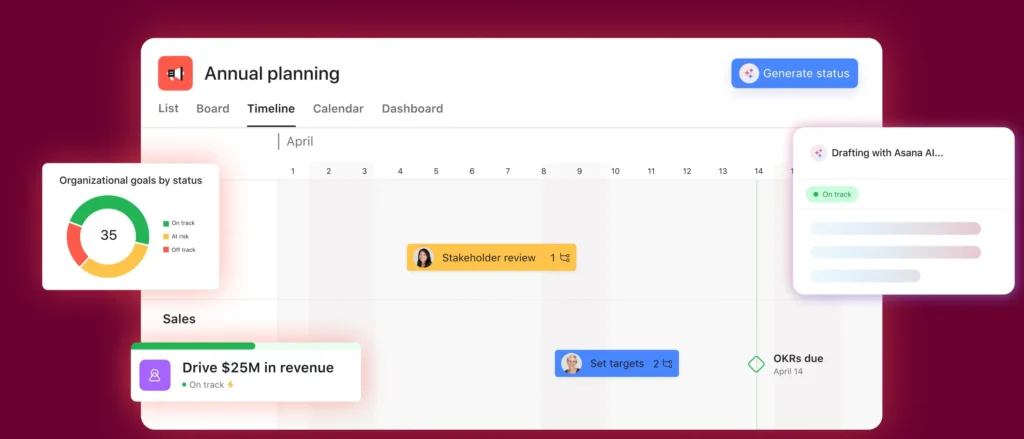
Large research projects and coursework benefit from tools that keep tasks organized and timelines visible.
Trello
Use Case: Isaac maps out his capstone project on a Trello board with lists for “To Do,” “In Progress,” and “Done.” Cards include deadlines, attachments, and checklists.
Why it works:
- Visual boards for tasks
- Drag‑and‑drop workflow
- Easy team collaboration
Notion (Advanced Use)
Use Case: Rachel builds a combined task list, calendar view, and project dashboard in Notion to track milestones, readings, and paper drafts.
Advantages include:
- Flexible databases
- Embeddable calendars and timelines
- Integrated notes and tasks
Asana
Use Case: A research team uses Asana to assign tasks, set deadlines, and track progress on a journal article submission.
Great for:
- Team task coordination
- Project timelines
- Automated reminders
🧠 7. Reference & Literature Discovery
Finding the right sources efficiently can accelerate research progress.
Google Scholar Alerts
Use Case: Mei sets alerts for keywords related to her thesis topic and receives new research notifications weekly.
Helps with:
- Staying up to date
- Keyword alerts
- Easy access to academic publications
ResearchGate
Use Case: Daniel connects with researchers in his field, requests full‑text papers, and discusses methodologies.
Useful for:
- Networking with academics
- Access to shared papers
- Topic feeds and updates
🧠 8. AI Research Assistants
Modern tools leverage AI to help parse complex texts, summarize research findings, and brainstorm insights.
AI Summarizers
Use Case: Carla uploads a long research article and gets a concise summary, saving hours she would have spent reading every detail.
Why it’s valuable:
- Fast comprehension of dense material
- Custom summaries tailored to questions
- Helps extract key concepts quickly
AI Brainstorming Tools
Use Case: A team uses AI to generate research questions and outline possible hypotheses for their next paper based on preliminary data trends.
Benefits include:
- Idea generation
- Drafting research frameworks
- Enhancing creativity
🎯 Final Thoughts
Students and researchers face many of the same challenges: managing information overload, organizing tasks and sources, writing clearly, and analyzing data. The right mix of apps can transform your productivity and learning outcomes.
Whether you’re:
- Taking meticulous notes in Notion or Obsidian
- Automating citations with Zotero or Mendeley
- Writing with Grammarly or AI‑enhanced editors
- Studying more effectively with Anki or Quizlet
- Analyzing data in RStudio or Tableau
—there’s a tool that fits your workflow and helps you work smarter.
Technology doesn’t replace the curiosity, effort, and critical thinking at the heart of academic work. But with smart apps by your side, the journey becomes more manageable and far more productive.